Live Systems
Why a Diagnosis Runs From a Live System
Ten minutes with a live system can eliminate an entire class of causes. It can also produce a clean result that means almost nothing.
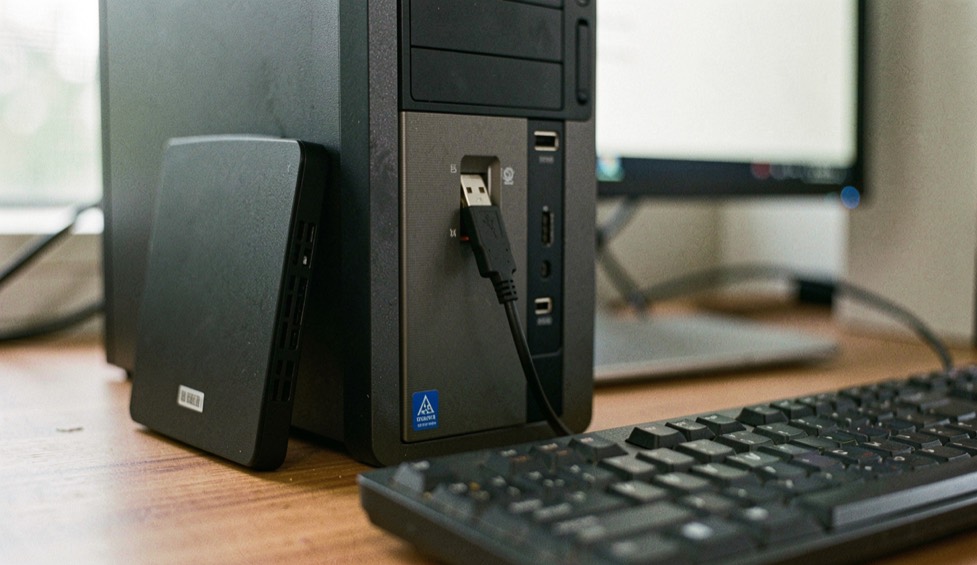
Every test run from the installed operating system runs on the hardware under suspicion, through code stored on a disk that may itself be the patient. The kernel schedules the run. The driver talks to the storage. A background service wakes halfway through. When something fails, the failure has too many possible authors. A bootable medium changes one variable and leaves the rest alone, and that single change is what turns a mixed result into a layered one.
Why can't the installed system interrogate itself?
The problem is not competence but position. The installed system is both instrument and specimen. A memory test launched from a desktop environment reports through that environment's own stack. A disk check reads through a driver that a recent update may have replaced. Every number the system produces about itself is produced under the system being investigated, and a fault in that software imitates a fault in the machine.
The tools are themselves files on the suspect disk, so loading them exercises the hardware in question before the first measurement is taken. A diagnosis that cannot step outside its subject can still be useful. It cannot separate the layers, and separating the layers is most of the work.
One layer swapped, everything else in place
SystemRescue, formerly SystemRescueCd, states its own terms plainly: a Linux rescue toolkit on a bootable medium, needing no installation, though it can be installed to a hard disk if you choose. Its kernel supports ext4, xfs, btrfs, vfat and ntfs, plus Samba and NFS, and it is stated to work on Linux and Windows machines, on desktops and on servers. What the swap leaves untouched is exactly what the diagnosis keeps examining: firmware, memory, power delivery, the disks themselves.
The medium is a small workbench rather than a frozen disc. It ships partition tools, GNU Parted and GParted, the graphical interface built on its library, and the documentation covers configuration through YAML files, scripts run at start-up, and additional packages installed through pacman.
The same fault, read from two seats
Neither seat tells the truth on its own. Each changes what a reproduced fault is allowed to mean.
| Aspect | From the installed system | From a live medium |
|---|---|---|
| Code executing during the test | The same kernel, drivers and services the fault may depend on | A kernel and toolset carried on the medium, not on the machine |
| Where the tools live | On the disk that may be the patient | On the medium, loaded without touching the install |
| Cost of a crash mid-run | Traces land inside the system being examined | The crashed layer is the medium; its changes do not persist unless a backing-store was created, and disks mounted writable stay exposed |
| Meaning of a reproduced fault | Somewhere between the hardware and that software stack | Suspicion shifts to what the swap did not touch |
The last row is the one that gets overread. A shift of suspicion is not a verdict. A fault that survives two different software layers still has an address, not a name, and naming the part belongs to the targeted tools, not to the boot method.
Where does the evidence go when the machine dies?
The question arrives in its harder form eventually: the machine that will not start at all. The SystemRescue homepage documents backing up data from an unbootable Windows computer and gives rsync its own chapter for moving data elsewhere. For a drive failing at the hardware level, the tool list includes ddrescue, which attempts a copy of a block device containing hardware errors and can fill the unreadable spots in that copy with a pattern of your choosing, so the gaps stay visible instead of silent. TestDisk covers the adjacent problem, checking and undeleting partitions across reiserfs, ntfs, fat32 and ext3/ext4.
None of this is diagnosis in the stress-test sense. It is the work that keeps the evidence intact long enough to be examined, and it is only possible from a seat that does not depend on the machine's own ability to start.
What a clean live boot does not prove
A live session that runs without complaint narrows the question; it does not close it. The swap removes the installed stack from the suspect list for one session, under whatever load that session applied. A machine that behaves from a USB stick all afternoon has been cleared of exactly that: one afternoon, from that stick. A fault that persists under the live kernel points toward the hardware, where the targeted tools take over. The tool list calls memtest the first thing to test when a machine crashes or misbehaves without explanation, and even then a memory result says only what a pass covers: those patterns, those modules, that run.
The seat can be nearly bare and still do the job, because the value is the swap, not the furniture. Finnix describes itself as the original utility live Linux distribution, with a release dated November 17, 2025, and speaks of seconds from a root prompt with hundreds of utilities available. Maintenance is part of the judgment here. A toolkit that has stopped moving is a toolkit whose kernel ages against your hardware, and the desk keeps which toolkits are still maintained on a separate page.
What to settle before the first boot
- Confirm the machine will start from removable media while it still starts at all; the manual gives boot options their own chapter.
- Check that the medium's kernel covers every filesystem you intend to read. The documentation lists ext4, xfs, btrfs, vfat and ntfs, plus Samba and NFS.
- Decide what may write before anything is mounted. This toolkit writes to NTFS through ntfs3g and documents secure deletion, so it is a writing instrument, not only a reading one.
- Plan where recovered data will land before the source disk is touched, so the destination is never the disk being copied.
Where this goes wrong
The quiet-session trap. An uneventful live session proves the hardware sound for the load and duration of that session, no more, and treating it as a clean bill is how intermittent faults get declared fixed the week before they return.
The overwritten-evidence trap. A medium with write support can destroy in one command what it was booted to preserve, so source and destination are named and confirmed before any copying operation runs.
The habit that pays off costs one evening. Build the stick in advance, on a day when nothing is wrong; the manual documents the procedure for Linux and Windows alike and describes it as little more than copying several files to the stick and running syslinux. Boot it once on the healthy machine and note what a normal session looks like, from the drives that appear to the time it takes to reach a prompt. On the day something breaks, you will be comparing against something you have already seen instead of learning the tool at the bedside.
system-rescue.org
The site of SystemRescue, formerly SystemRescueCd, a Linux rescue toolkit distributed as a bootable medium for administering or repairing a system and its data after a crash. It carries a quick start guide, a manual that runs from boot options to YAML configuration, PXE booting and secure deletion, guides to disk partitioning and LVM, and the list of included tools, from GNU Parted, GParted and FSArchiver to ddrescue, TestDisk and memtest. The sources are published on GitLab under the GPLv3 license.