Diagnostics
Temperature and Voltage Sensors, Read Properly
Everybody watches these numbers and few people ask where they come from. The answer changes how much weight they can carry.
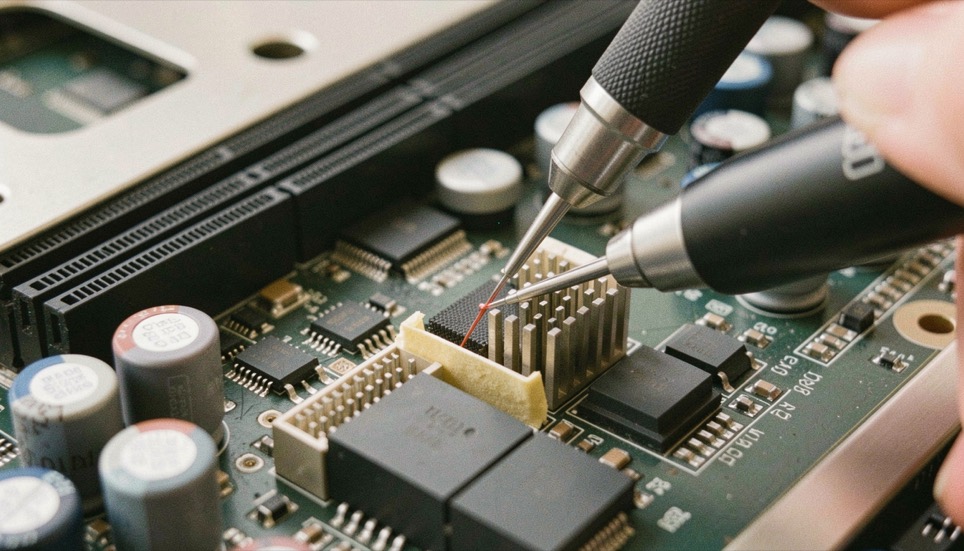
A temperature reading looks like the plainest number on the screen, and it is also the one that passed through the most hands before it arrived. A chip on the board produced it. A driver written for that chip collected it. A published standard gave it the name the tool printed, and a program chose where to put it on the screen. Every one of those hands can be sound and the number can still deserve less confidence than it appears to carry.
This page describes what on board temperature, voltage and fan sensors measure, where the kernel's own documentation stands in that chain, and how far a reading can be pushed before it stops being evidence.
The reading is the end of a chain
The Linux kernel documents hardware monitoring as a subsystem of its own, in the same contents list as the watchdog and the I2C subsystem. The hardware monitoring index is short, and it reads like a map of the chain: a page for the kernel API, a page for the PMBus core driver and its internal API, a page on getting a patch accepted into the hwmon subsystem, a page of naming and data format standards for sysfs files, an entry titled Userspace tools, and below all of that one entry per driver. The chip speaks first, the driver translates, the sysfs file carries the result under a governed name and format, and the tool that prints the value is the last hand it passes through. The same index shows its own boundary: it begins at the driver and the interface, and what a sensor does on a particular board sits upstream of everything it covers.
Why one page of documentation per chip?
The list titled Hardware Monitoring Kernel Drivers runs one entry per driver, and the entries are terse: abituguru, abituguru3, ad7314, adc128d818, adm1025, adm1026, adm1031, adm1177, adm1266, acbel-fsg032, power_meter. The copy consulted for this page carries the head of that list and stops there; the record runs longer than a page capture. The shape of the list is itself the finding. Hardware monitoring is not one driver that knows every sensor. It is a collection in which each supported chip is handled by its own driver, documented on its own page.
That shape sets the first limit on trust. A reading inherits the qualities of the driver that produced it, and the driver is written for a chip, not for the board the chip sits on. Two machines showing the same value are not running the same code path unless they carry the same chip, and the page worth reading is the one named for the chip, not the one named for the brand on the case.
What the index promises, and what it holds back
Two entries concern a reader more than a driver author. The page titled "Naming and data format standards for sysfs files" governs what the exposed files are called and what format their values take; a naming standard exists so that the same kind of reading carries the same kind of name, and that is the whole of what its title promises. The copy consulted here carries that title and the site's navigation, and none of the standard's text, so the rules are read at the source rather than reproduced. The entry titled "Userspace tools" is thinner still: in the consulted extract it is a title and nothing more. The index names no tool, so this page names none either.
| Entry on the index | Written for | What it settles |
|---|---|---|
| The Linux Hardware Monitoring kernel API | Driver authors | The interface a sensor driver is written against |
| PMBus core driver and internal API | Driver authors | One driver family, documented as its own piece |
| How to Get Your Patch Accepted Into the Hwmon Subsystem | Contributors | What a change must satisfy before it enters |
| Naming and data format standards for sysfs files | Driver and tool authors | What the exposed files are called, and the format their values take |
| Userspace tools | Readers of the values | Nothing beyond the title, in the copy consulted; no tool is named there |
| Hardware Monitoring Kernel Drivers | Owners of a specific chip | Whether a chip's driver carries its own page |
Read the table as a map of what is settled. The interfaces are documented, the names of the readings are governed by a standard, and the behavior of a sensor on a given board is documented nowhere on the index.
How far does a printed temperature vouch?
No figure in the pages consulted states how close a sensor's report sits to the true temperature. The documentation publishes drivers, names and formats; it does not publish tolerances. That absence is not a flaw, it is the boundary of what the document claims, and a plausible value remains an uncalibrated value no matter how many decimals the tool prints.
What a reading is good for is its behavior over time. The direction it takes when load arrives, the speed with which it falls back when the load leaves, whether it moves at all: a value that never changes across a change of load is reporting something, and what it reports may be a stalled sensor rather than a cool machine. The discipline is the one behind what a pass covers in memory testing, a result speaks for its own conditions and no further. And where the number turns into a decision, the decision belongs to thermal headroom, not to the printed figure.
Voltage and fans fail differently
A voltage reading invites action in a way a temperature does not, and action is where a reading does damage. Changing a voltage because a sensor printed a number you did not expect alters the machine and the instrument in the same gesture, and a driver that misreports the quantity will keep misreporting it after the change. The order that keeps a bench honest is to read, to compare against a second source of the same quantity, and only then to decide whether anything needs touching.
A fan sensor reports a speed, which makes it the reading on this list you can check against your senses. A speed of zero on a fan that is audibly spinning is a disagreement between two reports rather than a fact about the machine, and resolving it means deciding which report to believe, not which one to make go away.
Before you give a reading weight
- Name the chip behind the value. The documentation is arranged by driver, and the driver is arranged by chip.
- Read the name with the number, and check that the name describes the quantity you think you are reading.
- Watch the value across a change of load, not at rest. The shape carries more than the single figure does.
- Find a second source for the same quantity before acting on the first.
- Touch nothing until two sources agree that something is wrong.
Where this goes wrong
The most common error is reading the printed number as a measurement of the part being cooled. The value describes what a chip reported, through a driver written for that chip, and the consulted documentation says nothing about where the sensor sits on a board or how far its report sits from the true figure.
The second error is treating the absence of an accuracy figure as the presence of accuracy. Nothing in the pages consulted states a tolerance, so closeness to the true value is assumed by the reader, at the reader's cost. The same trap catches a drive's self report, treated in how a drive reports: a document produced by the thing it describes is still a report.
The third is adjusting hardware on the strength of one number. A voltage changed on the evidence of a single reading changes the machine and the instrument together, and no page consulted ranks one reading above another.
The gesture that settles most of this costs nothing. Before quoting a sensor value, name the chip that produced it and the conditions it was read under. A number quoted with its chain is evidence. The same number quoted alone is a rumor with a decimal point.
docs.kernel.org, the hardware monitoring pages
docs.kernel.org publishes the Linux kernel's own documentation. The pages consulted here belong to its Hardware Monitoring section, shown in the version the site presents as Linux Kernel 7.3.0-rc1.
The section index points to the kernel hardware monitoring API, the PMBus core driver and internal API, patch acceptance for the hwmon subsystem, naming and data format standards for sysfs files and userspace tools, then to a list of per driver pages under Hardware Monitoring Kernel Drivers, from abituguru to adm1266 in the copy consulted.